Code
A wide variety of programming languages and basic code editing is supported in code blocks.
Inserting
As always, there are several options for adding code blocks into your document:
Use the markdown shortcut
```. After the backticks type a space character to insert a code block in the last language used, or a language such as “typescript" to insert a code block of that type.Type
/codeto see the block menu optionPaste code from another editor
Examples
Typescript
const counter = function() {
    let count = 0;

    return function(): number {
        return ++count;
    }
};
Other formats such as “diff” are also supported:
@@ -37,7 +37,7 @@ sql {
        #       sqlite
        #       mongo
-       dialect = "sqlite"
+       dialect = "postgresql"
Pasting
When code is pasted from VSCode and other compatible editors and sources the language will be automatically detected. If a language is not detected then the last used language will be used.
Options
Language chooser
It’s also possible to choose the language manually from the menu that appears when focused in a code block.
Line wrap
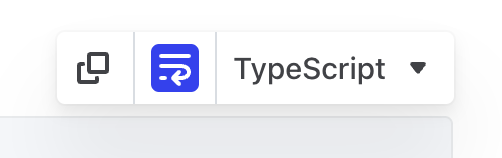
Line wrap control
Line wrap can be enabled on each code-block from the icon in the floating menu. Line numbers can be disabled as a personal preference in Settings → Preferences if you prefer.
Copy
A quick button for copying the content of the block to the clipboard.